7 Powerful Website Speed Optimization Strategies for Faster Websites
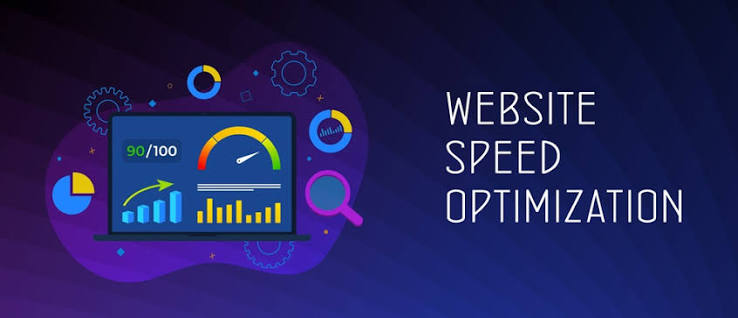
Website speed optimization is an important part of creating a professional and effective business website. When people visit a website, they expect pages to load quickly and information to appear without unnecessary delays. A slow website can make visitors leave before they understand what a business offers, find important information, or complete an action such as submitting a contact form or making a purchase.
In today’s digital environment, businesses depend on websites to attract customers, promote services, showcase products, build credibility, and support marketing campaigns. This means website performance can have a direct effect on how visitors experience a brand. A website that loads quickly can provide a smoother experience, while a website that takes too long to load may create frustration and reduce engagement.
Website speed optimization involves improving different technical and design elements that affect how quickly a website loads and responds to visitors. These elements can include images, hosting, plugins, website code, caching, mobile performance, and other features. The goal is not simply to make a website fast on one device but to create a consistent experience for users across different devices and internet connections.
For small businesses, improving website speed can be particularly valuable because visitors may be accessing the website through mobile devices and varying network conditions. A fast and responsive website can make it easier for customers to explore services, read content, contact the business, and take the next step.
Why Website Speed Optimization Matters for Businesses
The speed of a website can influence how visitors interact with a business online. When a page loads quickly, visitors can access information with less waiting. When a page takes too long, some visitors may leave before the content becomes available.
Imagine a potential customer searching for a digital marketing service. They find a business website through an online search and click the result. If the homepage takes several seconds to load, images appear slowly, or the page becomes difficult to use on a smartphone, the visitor may decide to look elsewhere.
A fast website can also create a more professional impression. While speed alone does not determine the quality of a business, a responsive website can contribute to a smoother customer experience. This is especially important for websites that depend on visitors completing specific actions, such as requesting a quotation, booking a service, filling out a form, or purchasing a product.
Website performance also matters because businesses often promote their websites through social media, search engines, email campaigns, and online advertising. Every visitor generated through these channels eventually interacts with the website. If the website performs poorly, marketing efforts may not achieve their full potential.
For this reason, businesses should consider website performance as part of their overall digital strategy rather than treating speed as a purely technical issue.
1. Optimize Large Images
Images are an important part of modern websites. They can make a website more attractive, demonstrate products, showcase completed projects, and communicate information visually. However, large image files can also slow down a website significantly.
A business website may contain photographs, banners, product images, portfolio projects, team photos, logos, and background images. If these files are uploaded at unnecessarily large dimensions or saved in inefficient formats, browsers may need to download more data before displaying the page.
Image optimization involves reducing file sizes while maintaining an appropriate level of visual quality. Businesses can resize images according to the dimensions actually required on the website and use suitable modern image formats when supported by their website platform.
For example, a website does not necessarily need a huge photograph if the image is displayed as a small thumbnail. Uploading an appropriately sized version can reduce the amount of data visitors need to download.
Images should also include descriptive alternative text when appropriate. This supports accessibility while helping websites communicate the purpose of visual content to users who cannot see the image.
Businesses should review important pages such as the homepage, service pages, product pages, and portfolio pages to identify unnecessarily large images. Improving these files can sometimes produce noticeable performance improvements without changing the website’s overall design.

2. Choose Reliable Website Hosting
Website hosting provides the infrastructure that stores a website and delivers its content to visitors. The quality of the hosting environment can therefore influence website performance.
Some businesses choose hosting primarily based on price without considering performance, reliability, technical support, or server resources. While affordability is important, extremely limited hosting can create performance problems as a website grows.
Reliable hosting should provide suitable server resources for the website’s needs. A simple business website may require fewer resources than an e-commerce platform with many products, customer accounts, images, and transactions.
The physical or network location of servers can also influence loading performance for different audiences, although modern content delivery systems can reduce this effect. Businesses serving customers in multiple regions may benefit from hosting and delivery solutions designed for broader geographic audiences.
Another important consideration is uptime. A website that loads quickly but frequently becomes unavailable is still creating a poor customer experience. Businesses should therefore consider both performance and reliability when selecting a hosting provider.
As a website grows, its hosting requirements may also change. A website that performed well when it had a few pages and limited traffic may require additional resources after attracting more visitors. Reviewing hosting performance periodically can help businesses identify when improvements are needed.
3. Reduce Unnecessary Plugins and Website Features
Website platforms such as WordPress allow businesses to add plugins and other features without extensive programming. These tools can provide useful functionality such as contact forms, security features, analytics, e-commerce capabilities, image galleries, and social media integration.
However, installing too many plugins can increase the amount of code a website needs to load. Some plugins may also conflict with one another or perform unnecessary background processes.
Businesses should regularly review the plugins and features installed on their websites. If a plugin is no longer needed, it should be removed rather than simply left inactive. Unused software can contribute to maintenance and security concerns as well.
Website owners should also think carefully before adding new features. A feature may look attractive but provide little practical value to visitors. Excessive animations, automatic videos, complicated sliders, large pop-ups, and unnecessary visual effects can make a website heavier and harder to use.
The goal should be to create a website that contains the features customers actually need. Professional website design is not about adding as many elements as possible. It is about choosing elements that support the purpose of the website.
Reducing unnecessary features can improve performance while also creating a cleaner and more focused user experience.
4. Use Browser Caching
Caching is another technique that can improve website performance. Instead of requiring a visitor’s browser to download every resource from the server each time a page is opened, caching can allow certain files to be stored temporarily and reused.
For example, elements such as images, stylesheets, and scripts may be cached so that returning visitors do not need to download everything again. This can reduce loading time and server requests.
Caching can be configured through website plugins, hosting platforms, content delivery networks, or server settings, depending on the website’s technology.
Businesses should ensure that caching is configured correctly because poorly configured caching can sometimes cause visitors to see outdated versions of pages after important changes have been made. A professional website developer can help configure caching while ensuring that updated content becomes available appropriately.
Caching is particularly useful for websites with repeat visitors. When returning customers can access pages more quickly, they may have a smoother experience when browsing services, products, or other information.
Businesses should combine caching with other performance improvements rather than treating it as the only solution. A website with huge images, poor hosting, and unnecessary scripts may still be slow even when caching is enabled.
5. Optimize Website Code and Files
Websites use different types of code and files to display content and provide functionality. HTML structures the content, CSS controls presentation, and JavaScript can provide interactive features.
When these files contain unnecessary code or are not delivered efficiently, they can contribute to slower loading. Developers can improve performance by reducing unnecessary code, minimizing files where appropriate, and loading certain resources only when they are needed.
Businesses do not need to understand programming languages to benefit from these improvements. A professional developer can inspect the website and identify resources that may be affecting performance.
Third-party scripts can also influence speed. Websites often use analytics tools, chat systems, advertising scripts, social media integrations, tracking technologies, and other external resources. While these tools can be useful, adding too many external scripts can increase the number of requests a browser must make.
A good performance strategy involves evaluating whether every script serves an important purpose. If a feature provides little value, removing it may improve both performance and usability.
Developers can also use techniques such as lazy loading for certain resources. With lazy loading, some content is loaded only when it becomes necessary, such as images further down a page. This can reduce the amount of information that must load immediately when a visitor first opens the page.
6. Improve Mobile Website Speed
Mobile performance is increasingly important because many people access websites using smartphones. A website that works well on a desktop computer but loads slowly or becomes difficult to use on a phone can lose potential customers.
Mobile users may also access websites through slower or less stable connections than users on high-speed desktop networks. This makes efficient website design especially important.
Businesses should test important pages on different mobile devices and screen sizes. Navigation should be easy to use, buttons should be large enough to tap comfortably, and content should fit the screen without unnecessary horizontal scrolling.
Large images, background videos, complex animations, and excessive scripts can be particularly problematic on mobile devices. Reducing unnecessary elements can help pages load more efficiently.
Mobile performance should also be considered when creating landing pages for advertising campaigns. If someone clicks an advertisement from a smartphone and arrives at a slow page, the customer may leave before completing the desired action.
A professional website should therefore be designed with mobile users in mind from the beginning. Mobile optimization is not simply about making a desktop website smaller. It involves creating an experience that works effectively on smaller screens and different connection conditions.
7. Monitor Website Performance Regularly
Website speed optimization is not a one-time activity. A website can become slower over time as new images, plugins, pages, scripts, and features are added.
Regular performance monitoring helps businesses identify changes before they become major problems. Website owners can use performance testing tools to examine loading times and identify resources that may require improvement.
Google provides tools and resources that can help website owners understand performance and user experience. Other website performance tools can provide additional information about page loading, file sizes, server responses, and technical issues.
Businesses should monitor their most important pages rather than focusing only on the homepage. Service pages, product pages, landing pages, contact pages, and other high-traffic sections may also require attention.
Performance should also be checked after major website changes. A new theme, plugin, design feature, tracking tool, or large collection of images may affect loading speed.
Regular monitoring makes it easier to maintain consistent performance as a website develops. Instead of waiting for customers to complain about slow pages, businesses can identify potential issues proactively.
Website Speed Optimization for Small Businesses
Small businesses sometimes assume that website performance is only important for large companies, but every business can benefit from a faster website. A local service provider, small online store, personal brand, restaurant, school, or startup may depend heavily on its website to generate inquiries and attract customers.
Small businesses also need to consider their audience’s internet conditions. Not every customer will have a fast connection or a modern computer. A lightweight website can provide a better experience for a wider range of visitors.
The first improvements do not necessarily require a complete website rebuild. Businesses can start by optimizing images, reviewing plugins, improving hosting, enabling caching, and checking mobile performance.
If the website continues to perform poorly, a professional assessment can help identify deeper technical problems. A website developer can determine whether the issue is related to hosting, code, database performance, third-party scripts, or the website’s overall structure.
Improving performance should always be balanced with business goals. The objective is not to remove every image, animation, or interactive feature. Instead, businesses should keep the elements that provide value while reducing unnecessary technical weight.
Common Website Speed Problems to Avoid
One of the most common problems is uploading large images directly from a camera or design software without resizing them for the web. High-resolution files may be useful for printing but unnecessarily large for a website.
Another problem is installing too many plugins or extensions. Each additional feature can introduce more code and processing requirements. Businesses should regularly review their website tools and remove unnecessary ones.
Poor hosting can also create performance problems. If the server does not provide enough resources for the website, pages may load slowly, particularly when several visitors access the site at the same time.
Large background videos and excessive animations can also affect performance. While visual effects can make a website attractive, they should not prevent customers from accessing important information quickly.
Another mistake is ignoring mobile users. A website may appear fast on a powerful desktop computer while performing poorly on a smartphone. Testing across different devices provides a more realistic understanding of performance.
Finally, businesses should avoid making changes without testing the results. Performance improvements should be measured before and after important changes whenever possible.
How Website Speed Affects Digital Marketing
Website performance is closely connected to digital marketing because many marketing activities eventually direct customers to a website. Social media campaigns, search engine optimization, online advertising, email marketing, and content marketing can all generate website traffic.
If the destination website is slow, some of the effort invested in attracting visitors may be wasted. A person who clicks an advertisement or social media link expects the destination page to load quickly and provide the information promised in the campaign.
For example, a business may create an advertising campaign promoting a particular service. If the landing page takes too long to load, visitors may leave before reading the offer or completing the contact form.
A fast website can support a smoother customer journey. Visitors can move between pages more easily, find information faster, and complete actions with fewer interruptions.
Website performance should therefore be considered when planning digital marketing campaigns. Marketing and website teams should work together to ensure that the website can handle the traffic generated by campaigns.

How Prex Digital Can Help Improve Website Performance
At Prex Digital, we understand that a professional website should not only look attractive but also provide a smooth experience for visitors. Website performance can influence how people interact with a business and whether they continue exploring its services.
Our website services can help businesses create, improve, and maintain professional websites with performance and usability in mind. This can include reviewing website structure, improving page layouts, optimizing visual content, supporting responsive design, and identifying areas that may affect loading performance.
For businesses with existing websites, performance improvements can be combined with other services such as website redesign, website maintenance, digital marketing, graphic design, and mobile marketing.
A performance-focused approach can also help businesses prepare their websites for marketing campaigns. Before sending large amounts of traffic to a website, it is useful to ensure that important pages are accessible, responsive, and capable of providing a smooth customer experience.
Prex Digital can help businesses evaluate their website needs and develop practical improvements based on their goals. Whether you are launching a new business website or improving an existing one, performance should be considered as part of the overall website strategy.
Building a Faster Website for Long-Term Growth
Website speed should not be treated as a temporary project. As businesses grow, their websites often become larger and more complex. New products, blog posts, images, plugins, tracking tools, and marketing campaigns can gradually affect performance.
Creating a performance-conscious website structure from the beginning can make future maintenance easier. Businesses should establish good practices for image optimization, software management, hosting, caching, and performance monitoring.
Website teams should also consider performance whenever new features are introduced. Before adding a large animation, video, plugin, or external service, businesses should consider whether the feature provides enough value to justify its impact on the website.
A faster website is not necessarily a website with the fewest features. It is a website where the available resources are used efficiently and where important content is delivered without unnecessary delays.
Businesses should also remember that website performance is connected to the broader customer experience. Speed, navigation, design, content, accessibility, security, and mobile responsiveness all contribute to how visitors experience a website.
Conclusion
Website speed optimization is an important part of building a successful business website. A website that loads quickly can make it easier for visitors to access information, explore services, interact with content, and take important actions.
Businesses can improve performance by optimizing images, choosing reliable hosting, reducing unnecessary plugins, using caching, improving website code, focusing on mobile performance, and monitoring their websites regularly.
Small businesses can benefit from these improvements just as much as larger organizations. A faster website can provide a more professional experience and create a stronger foundation for digital marketing activities.
Website performance should also be monitored over time. As new content and features are added, businesses should continue checking how those changes affect loading speed and usability.
At Prex Digital, we believe a successful website should combine professional design, useful content, responsive functionality, and reliable performance. By investing in website speed and other important website improvements, businesses can create a stronger online presence and provide visitors with a smoother digital experience.
A website is often one of the most important digital assets a business owns. Making sure that asset is fast, accessible, responsive, and easy to use can help businesses build stronger relationships with customers and create a better foundation for long-term online growth.